
Blogs
Top 8 Digital Classroom Solutions for Schools in India in 2026
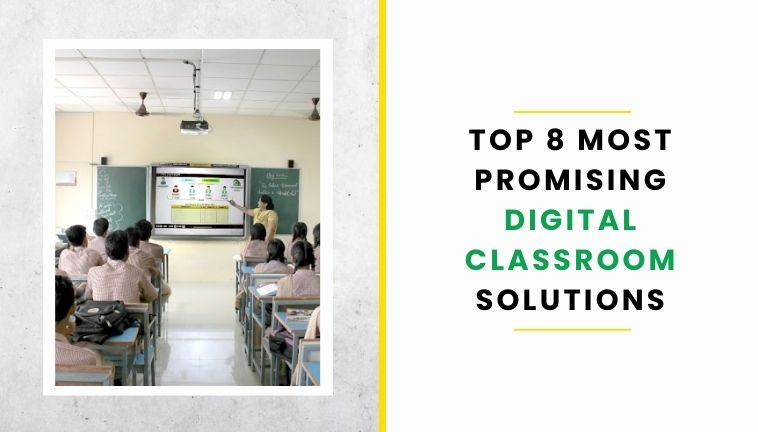
Digital classrooms have evolved beyond simply conducting lessons online. Today, schools can combine interactive displays, digital learning content, learning management systems, virtual classrooms, assessments, analytics and AI-powered tools to create a more connected learning environment.
For schools in India, choosing the right digital classroom solution depends on more than the technology itself. Curriculum compatibility, teacher training, internet availability, digital content, scalability and ongoing technical support all play an important role.
In this guide, we explore eight key types of digital classroom solutions that schools can consider in 2026, along with their key features, applications and factors to evaluate before implementation.
Quick Comparison of Digital Classroom Solutions

What Is a Digital Classroom Solution?
A digital classroom solution is a combination of technology, digital content and learning tools that helps schools deliver, manage and assess teaching through digital platforms. Depending on the school's requirements, it can include interactive displays, smart boards, digital learning content, learning management systems, virtual classroom tools, assessment platforms and AI-enabled learning applications.
Modern digital classrooms can support both face-to-face and online learning. They can also help teachers access multimedia resources, conduct digital assessments, share learning materials and track student progress.
For schools, the most effective solution is not necessarily the one with the most features. It is the one that fits the curriculum, classroom infrastructure, teacher capabilities and learning requirements of the students.
What Makes a Good Digital Classroom Solution?
The right digital classroom solution should support teachers as well as students. Schools should evaluate the technology based on how easily it can be integrated into everyday teaching rather than looking at features in isolation.
Curriculum Alignment
The solution should support the school's curriculum and provide relevant learning resources for the subjects and grade levels being taught.
Interactive Teaching Capabilities
Interactive displays, multimedia content, simulations and other digital tools can make classroom instruction more engaging and easier to demonstrate.
Digital Learning Content
Schools should evaluate the quality, relevance and accessibility of the digital content provided with the solution.
Learning Management and Assessment
A strong digital learning environment should allow teachers to share resources, assign work, conduct assessments and monitor learning progress.
Offline and Low-Bandwidth Access
For schools where internet connectivity may be inconsistent, offline access and low-bandwidth functionality can be important considerations.
Teacher Training and Support
Technology is most useful when teachers know how to use it effectively. Training, onboarding and ongoing technical support should therefore be considered during vendor selection.
Scalability
The solution should be capable of expanding from a few classrooms to multiple grades, departments or schools without creating unnecessary complexity.
Security and Data Protection
Schools should also evaluate how student, teacher and institutional data is collected, stored and protected.
Top 8 Digital Classroom Solutions for Schools in India
Digital classroom technology can take different forms depending on the needs of a school. Some solutions focus on virtual classrooms, while others provide digital content, learning management, interactive teaching or a combination of technologies.
The following solutions represent different approaches schools can consider when building or upgrading their digital learning infrastructure.
1. KYAN
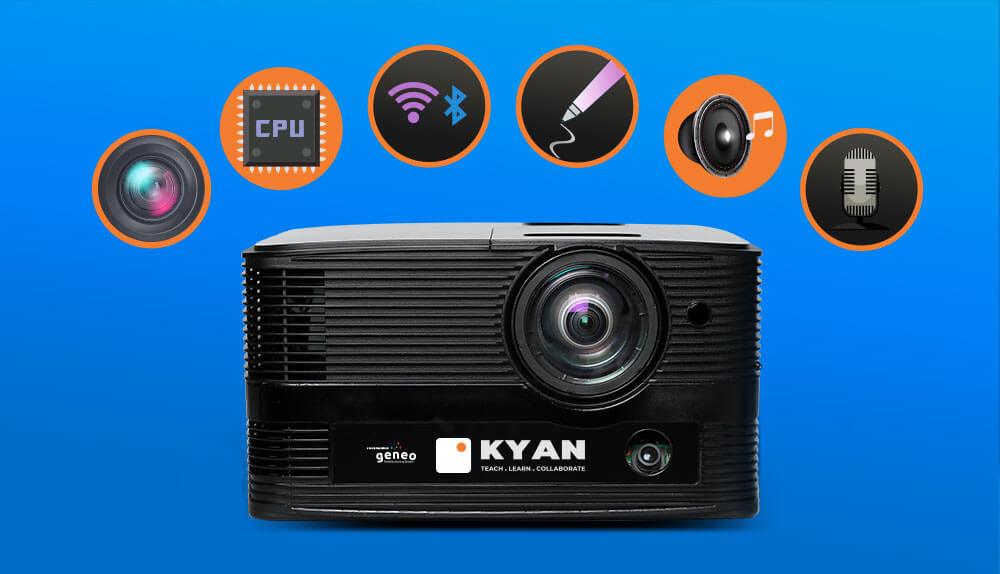 KYAN is an all-in-one teacher device that transforms any flat surface/wall into an interactive surface. Super-easy to set up and an absolute delight to use, its versatility, multi-functionality, and sheer simplicity have made it an indispensable tool for teachers.
Features:
- All-in-One Device with many functionalities in a single unit
- Virtual Classroom/Web Conferencing complemented by microphones & web-cameras
- Any Room can become an interactive classroom
- Large screen display with a high-luminosity, high-resolution, and large-screen projection system
- An Internet-ready device that can be used to surf and download appropriate material from the Internet.
2. VEDAMO
VEDAMO is a global digital classroom app offering interactive digital classrooms and learning management systems. According to VEDAMO, the platform is made by tutors for tutors. It aims to give virtual learning a traditional feel, with all the features needed for a successful class setup.
Features:
- Supports up to 50 participants
- Features an online whiteboard for interactive sessions
- Offers high-quality video conferencing for face-to-face training
- Includes a screen-sharing option
- Provides breakout rooms for collaborative learning and group activities
3. WizIQ
WizIQ is a cloud-based digital classroom software that offers a range of features to simplify lesson delivery. It allows for a smooth transition from physical classrooms to online ones. WizIQ also provides solutions for businesses, including corporate training and online onboarding.
- Works seamlessly on any browser, eliminating the need for downloads
- Easy administration with automated performance reports and live session monitoring
- High-definition video conferencing with a 5-way audio-video layout
- Automated server-side recording during live sessions
- Advanced online whiteboard with built-in shapes, graphs, maps, and diagrams
4. ClassIn
ClassIn is a comprehensive e-learning solution for teachers, students, and school management. Launched in 2016, ClassIn was the first to offer a truly education-focused virtual platform. This innovative digital classroom app is designed specifically for students. ClassIn's interactive tools make online classrooms lively and engaging. One major challenge in virtual setups is making online sessions as engaging as physical classrooms. ClassIn addresses this with its all-in-one solution, providing a complete digital classroom experience.
- Unlimited time duration per session
- The class capacity of up to 50 students for freelance tutors and up to 300 for others
- Unlimited cloud storage
- Two-way interactive whiteboard
- Multiple course format support
5. Moodle
Moodle is an open-source learning platform that lets you create a personalized learning environment for your students. This user-friendly platform offers almost all the essential elements of a digital classroom. Designed to support educators, administrators, and learners, Moodle provides everything needed to thrive in the virtual education system.
- An open-source platform that lets every teacher create their learning environments
- Accessible to everyone, including instructors, learners, developers, and system administrators
- Supports over 100 languages
- Facilitates all types of learning, including collaborative and self-paced
- Secure, reliable, and constantly improving
6. Google Classrooms
Google has been a trusted source for years, making Google Classroom a convenient learning solution for many teachers and students. If you ask a fellow teacher about the best virtual classroom software, they might recommend Google Classroom.
- Manage multiple classrooms simultaneously
- Share course links or codes for easy access
- Easily switch between assignments, classrooms, and students
- Use the student grade book to track and manage performance
- Receive automated notifications about assignments and assessments
7. Electa Live
Electa Live is another excellent all-in-one digital classroom app offering virtual classroom software and an LMS for online teaching and training. This cloud-based platform allows users to conduct online tutorials, lectures, live meetings, group sessions, and individual tutoring. Its LMS empowers trainers and school management to administer, document, track, and evaluate staff performance. It also simplifies assessment, progress tracking, and record-keeping for instructors.
- Course builder to create engaging material in various formats
- Individual student profiles for better tracking
- Live sessions and video conferencing
- Resource library and online repository
- Session recording so students can revisit lectures
8. EduKool
EduKool is a popular digital classrooms app in India, widely used by instructors. This ERP system is designed to help you manage your institutions through its mobile app. You can register a single school or multiple schools under one profile. EduKool is not just virtual classroom software; it also functions as an ERP. It helps manage staff and student attendance, admission and fee administration, assignment and assessment allocation, online grading, and much more. Their solutions range from ERP and LMS to virtual classrooms and online education.
- Add multiple users to the dashboard
- Automate tasks like fee notifications, deadline reminders, and class schedules
- Manage multiple schools or branches through a single app
- Compatible with various devices, browsers, and operating systems
- On-the-go student management, from attendance to assessments
Digital Classroom Solutions for Indian Schools
Schools in India have different technology and infrastructure requirements depending on their location, curriculum, student population and available resources. A digital classroom solution should therefore be evaluated according to the school's specific operating environment.
Important factors for Indian schools include:
- Compatibility with CBSE, ICSE or state-board curricula
- Availability of curriculum-aligned digital content
- Support for English and regional-language learning where required
- Reliable performance in classrooms with varying internet connectivity
- Interactive displays and other classroom hardware
- Teacher training and technology adoption
- Digital assessments and learning analytics
- Technical support and maintenance
- Scalability across multiple classrooms or school locations
- Data privacy and security
For schools implementing technology across several classrooms, it is also important to evaluate the complete ecosystem rather than selecting individual tools independently. Hardware, software, content, teacher training and ongoing support should work together as part of the overall digital classroom strategy.
Digital Classroom vs Smart Classroom: What's the Difference?
The terms digital classroom and smart classroom are often used interchangeably, but they can refer to slightly different approaches to technology-enabled education.
A digital classroom generally focuses on using digital tools, content and platforms to support teaching and learning. This may include learning management systems, digital resources, online assessments, virtual classrooms and multimedia learning materials.
A smart classroom typically combines classroom hardware with digital technology. This can include interactive panels or smart boards, digital content, classroom software, connectivity and other tools that support interactive teaching.
In practice, there can be significant overlap between the two. A school may use a smart classroom setup with interactive displays while also using an LMS, digital content platform and online assessment tools.
The right approach depends on the school's teaching objectives, infrastructure, budget and technology requirements.
How Much Does a Digital Classroom Solution Cost in India?
The cost of implementing a digital classroom varies depending on the technology, number of classrooms and level of support required. There is no single cost that applies to every school.
Some of the major cost factors include:
- Interactive panels or smart boards
- Computers and other classroom devices
- Digital learning content
- Learning management software
- Virtual classroom or collaboration tools
- Internet and networking infrastructure
- Installation and configuration
- Teacher training
- Software licensing or subscriptions
- Technical support and maintenance
Schools should therefore compare solutions based on the total implementation and ownership requirements rather than evaluating the initial hardware or software cost alone.
Benefits of Digital Classroom Solutions
When implemented appropriately, digital classroom solutions can support several aspects of teaching and school management.
More Interactive Teaching
Digital content, visual demonstrations, simulations and interactive displays can give teachers additional ways to explain concepts.
Access to Digital Learning Resources
Teachers and students can access multimedia learning materials beyond traditional textbooks and classroom resources.
Flexible Learning
Virtual and hybrid capabilities can allow learning to continue beyond the physical classroom when required.
Digital Assessment
Online assessments can make it easier for teachers to conduct tests, review responses and monitor student performance.
Learning Insights
Digital platforms can provide teachers and administrators with information that can help identify learning gaps and monitor progress.
Teacher Support
Digital tools can help teachers organise learning resources, assignments, assessments and classroom activities in one environment.
Frequently Asked Questions
What is a digital classroom solution?
A digital classroom solution combines technology, digital content and learning tools to support teaching, learning and assessment. It can include interactive displays, digital content platforms, LMS solutions, virtual classrooms and assessment tools.
What are the main components of a digital classroom?
Common components include interactive displays or smart boards, digital learning content, classroom devices, internet connectivity, learning management systems, assessment tools and teacher-support platforms.
What is the difference between a digital classroom and a smart classroom?
A digital classroom broadly refers to technology-enabled teaching and learning, while a smart classroom often includes interactive classroom hardware such as smart boards or interactive panels along with digital content and software.
Which digital classroom solution is best for schools?
The best solution depends on the school's curriculum, infrastructure, teacher requirements, student needs, budget and scalability requirements. Schools should evaluate the complete solution rather than selecting technology based only on the number of features.
Can digital classrooms work without the internet?
Some digital classroom solutions provide offline or low-bandwidth capabilities. Schools with inconsistent connectivity should specifically check offline content availability and system requirements before implementation.
How can schools choose the right digital classroom solution?
Schools should evaluate curriculum alignment, digital content, hardware, software, teacher training, assessment capabilities, scalability, technical support, security and total cost of implementation.
How does AI support digital classrooms?
AI can support areas such as personalised learning, content recommendations, assessment, lesson planning, learning analytics and teacher assistance. Schools should evaluate AI features based on their educational purpose, reliability and data-privacy requirements.
Why is teacher training important for digital classrooms?
Teacher training helps educators use classroom technology effectively and integrate digital tools into everyday teaching rather than treating the technology as a standalone addition to the classroom.
Conclusion
Digital classroom solutions are becoming an important part of how schools deliver, manage and assess learning. However, adopting technology alone does not create an effective digital classroom.
Schools should look for solutions that align with their curriculum, classroom infrastructure and teaching requirements while providing reliable digital content, teacher support, assessment capabilities and room for future expansion.
Whether a school is introducing interactive classrooms, adopting an LMS, implementing hybrid learning or exploring AI-enabled education, the focus should remain on using technology to support teachers and improve the learning experience for students.


